
Contacts/Calendar server with Radicale
Radicale is a CalDAV and CardDAV server.
- Create docker-compose.ymlIn the docker-compose file we mounted two volumes data/persistence and data/config. Persistence is used to store calendar/contacts data for each user. We’ll use the config folder to configure radicale:
services: radicale: image: ghcr.io/kozea/radicale:3.7.3 networks: ["server"] restart: "unless-stopped" ports: - 5232:5232 environment: RADICALE_CONFIG: "/etc/radicale/radicale.ini" volumes: - "./data/persistence:/var/lib/radicale" - "./data/config:/etc/radicale" labels: - "traefik.enable=true" - "traefik.http.routers.radicale.rule=Host(`radicale.${DOMAIN}`)" networks: server: external: true - Create a new file data/config/radicale.ini
[server] # Bind all addresses hosts = 0.0.0.0:5232 [auth] type = htpasswd htpasswd_filename = /etc/radicale/users htpasswd_encryption = bcrypt [storage] filesystem_folder = /var/lib/radicale/collections [web] type = internal [rights] type = owner_only [logging] level = warning [sharing] type = csv collection_by_map = true permit_create_map = true - Setup users
- Create a new file data/config/users and add each user like this, separated by linebreak:
<USERNAME>:<BCRYPT_PASSOWRD_HASH> - To create a password hash with bcrypt use the following python script
python3 -c 'import bcrypt; print(bcrypt.hashpw(b"<PLAIN_PASSWORD>", bcrypt.gensalt(rounds=15)).decode("ascii"))'
- Create a new file data/config/users and add each user like this, separated by linebreak:
Now you should be able to access the webservice of radicale via browser (radicale.<YOUR_DOMAIN>) and login with the credentials from the users file.
After creating a calendar and an address book you should see them listed with their urls, which are needed for client setup.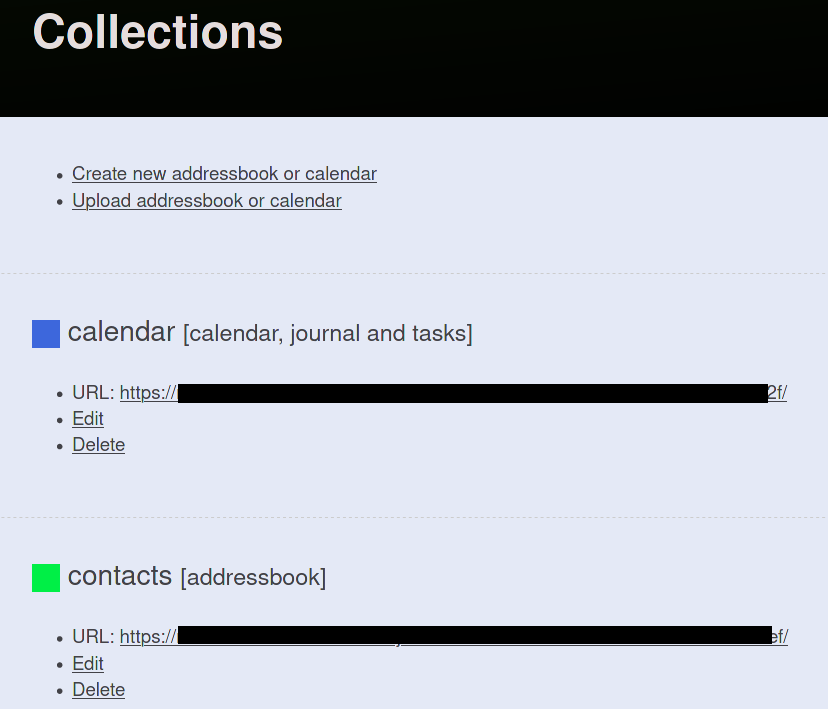
Collections
Install the extensions TbSync and Provider für CalDAV & CardDAV
Click TbSync in the bottom right corner of thunderbird status panel and create a new account
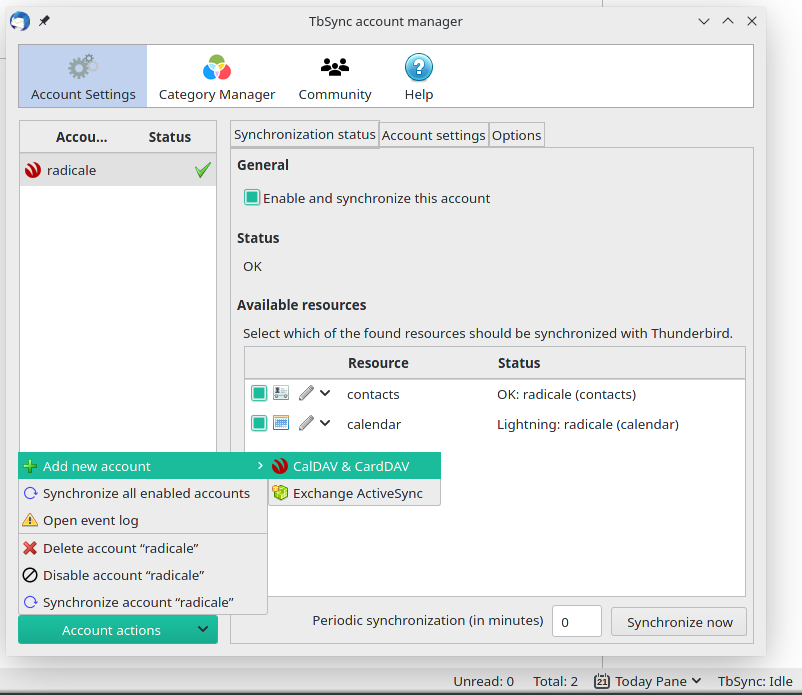
TbSync account setup
Select manual configuration
Fill in your credentials and the calendar/contacts urls from the radicale collections web ui.
After synchronizing you should now see your calender in lightning and your contacts in the address book.
- Install DAVx⁵ (Provider for cardDav/calDav)
- Add account and select “Login with URL and user name”
- Enter url for calendar collection and your credentials
- Repeat for contacts
You should now be able to select your calendar in the calendar app (e.g. Etar) and your contacts in the contacts app (e.g. Simple contacts).
With the app Birthday Adapter you can view your contacts birthdays in the calendar.